
Live on the Shopify App Store
Flowkit: Timers & Counters
Add timers, counters, API calls that return data, and per-location stock triggers to your Shopify Flow workflows.
Get it on the Shopify App Store (Flowkit: Timers & Counters on the Shopify App Store)$14/month or $140/year, with a 14-day free trial
What it does
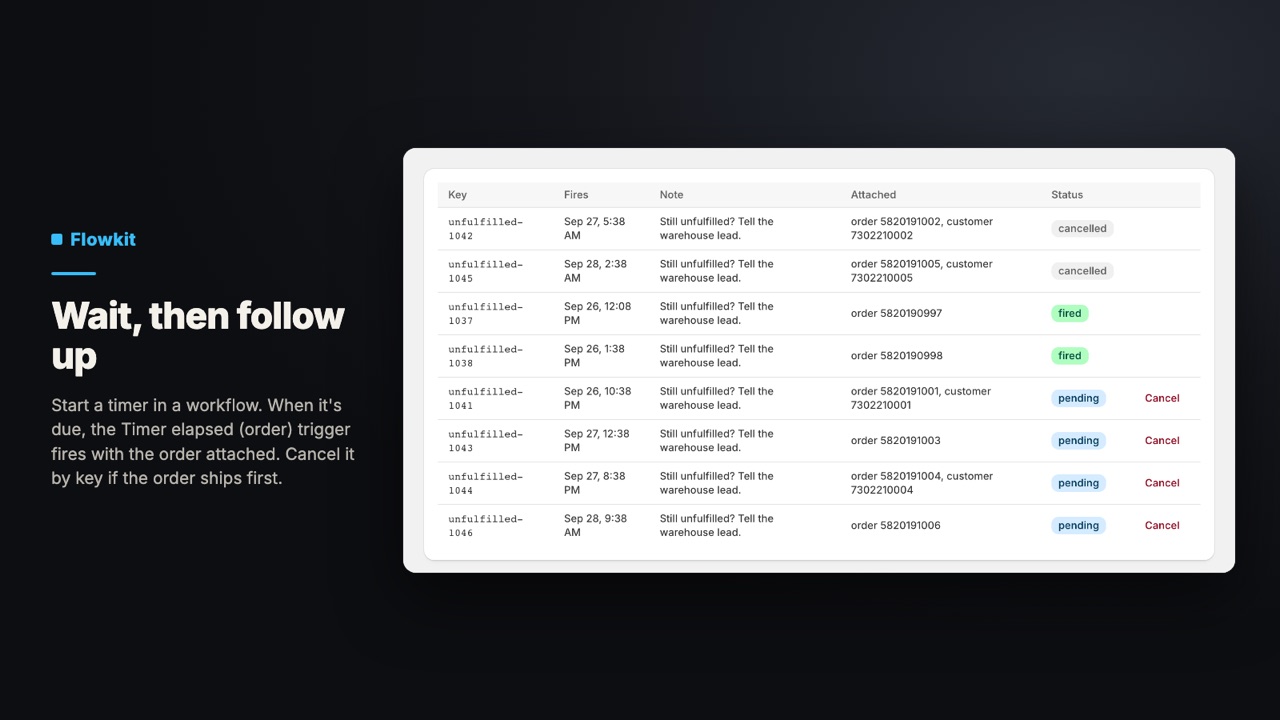
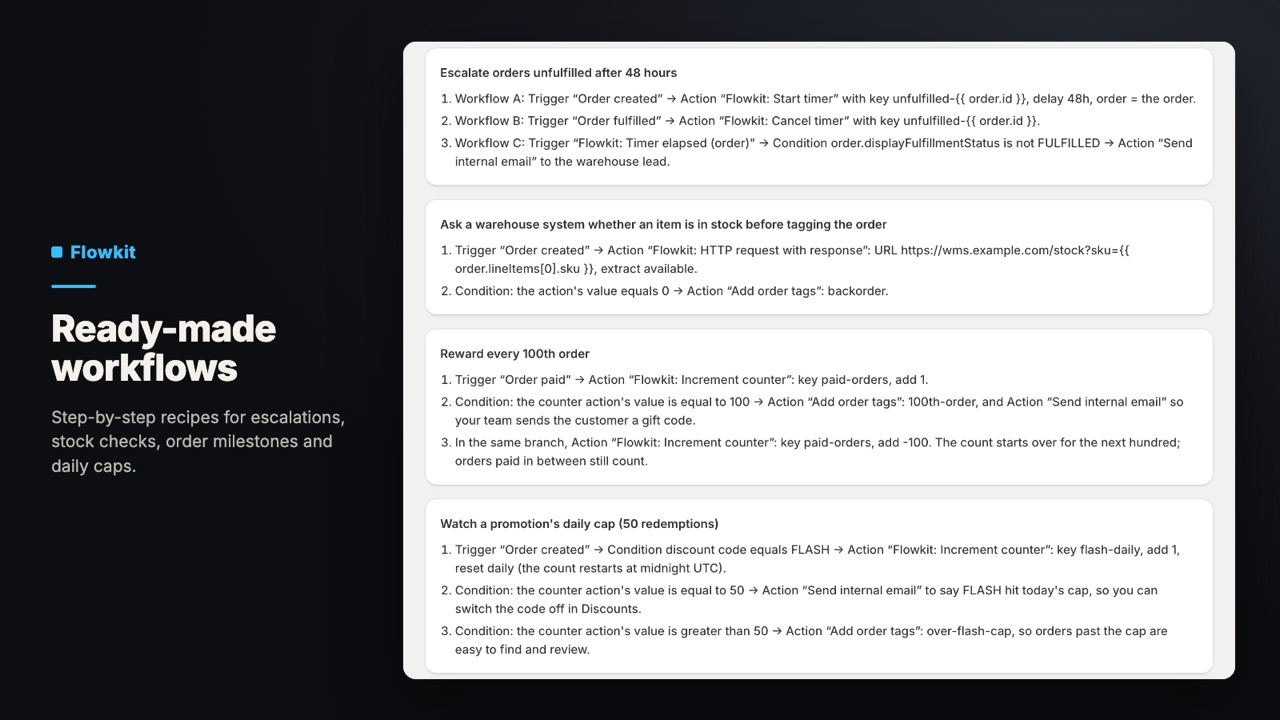
Flowkit adds nine steps to Shopify Flow, each named “Flowkit:”. Start a timer of up to 90 days; when it is due, Timer elapsed fires, and its (order) and (customer) versions carry what you attached. Cancel it by key from another workflow. Keep named counters that reset every day, week or calendar month. Call an API and use its status, body or one JSON value in the next step. Start a workflow when stock at one location drops to your threshold or below, or goes up. Every run is logged. Shopify Flow is required.
- Timers of up to 90 days that fire a trigger, and can be cancelled by key
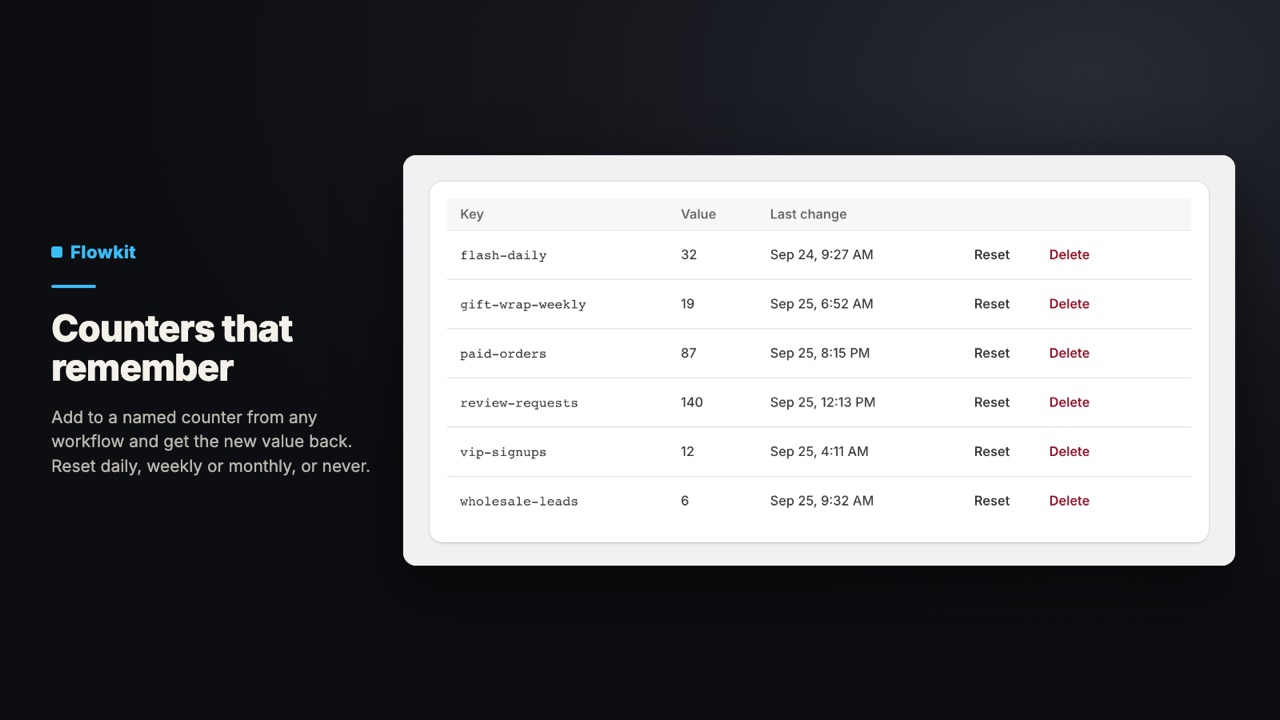
- Named counters that reset each day, week or month; returns the new value
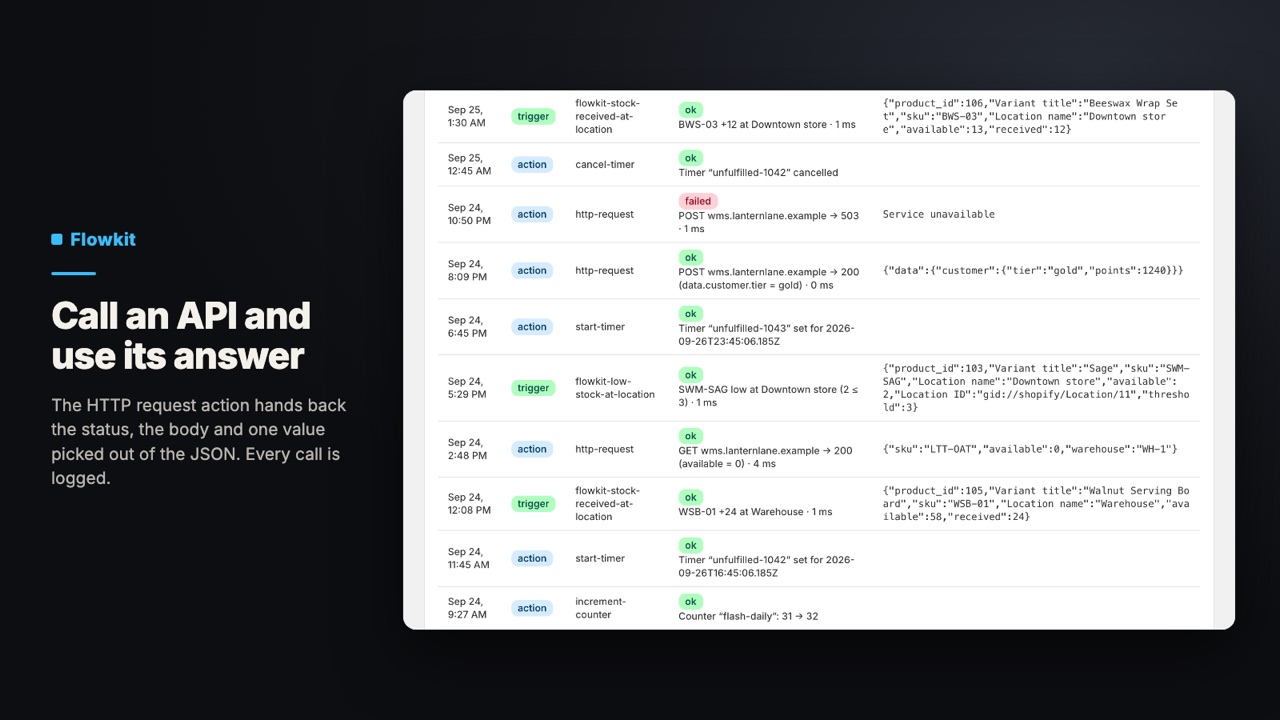
- HTTP request action that returns the status, body and one JSON value
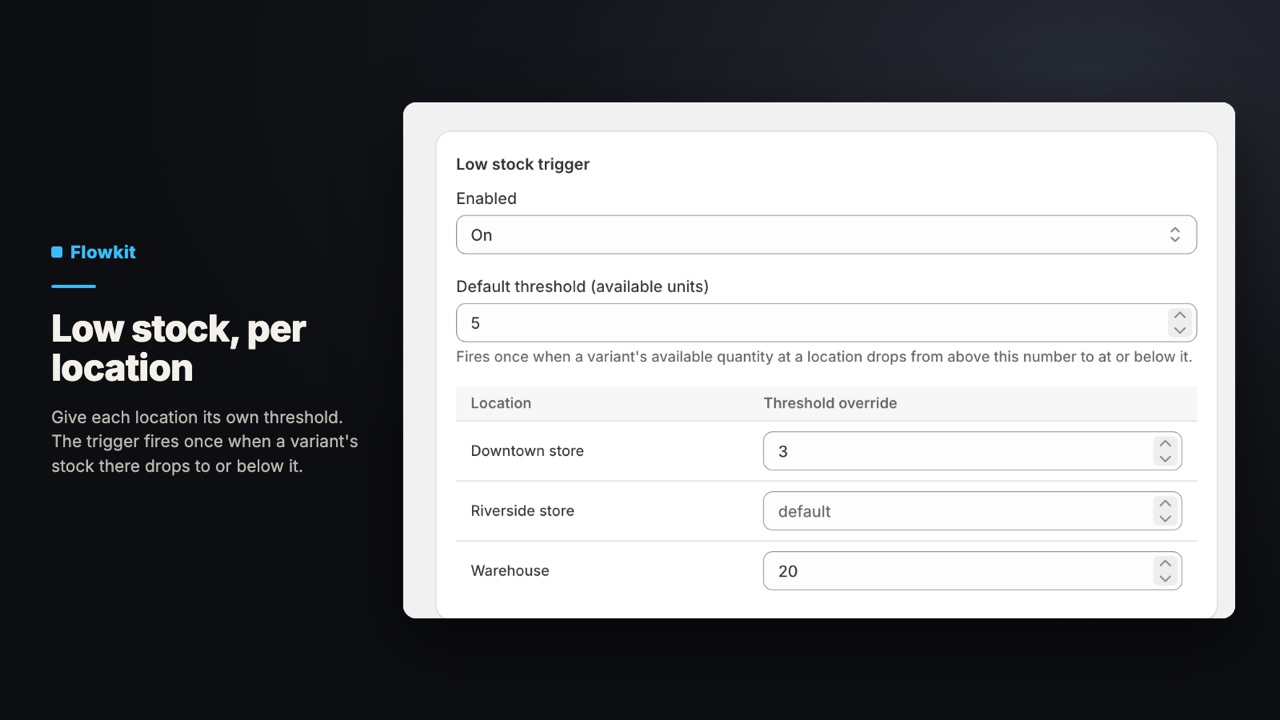
- Low-stock and stock-received triggers for one location at a time
- A log of every action run and trigger, plus timers and counters to manage
Who it's for
- Stores that already use Shopify Flow and want timers they can cancel by key, counters, or an API call whose answer the next step can use.
- Stores that want a low-stock alert per location, with a different threshold at each one.
- Stores that want to cancel a pending follow-up when something happens, for example when the order ships first.
Screens
Price
| Plan | Price | What you get |
|---|---|---|
| Standard | $14/month or $140/year | 14-day free trial. All nine Flowkit steps, per-location stock thresholds and the run log. No free plan. |
Billed in US dollars through Shopify, on your normal Shopify invoice. The same plans and prices are on the Flowkit: Timers & Counters listing.
Questions
Do I need Shopify Flow?
Yes. Flowkit adds steps to Shopify Flow, and they appear in Flow's trigger and action pickers, each starting with “Flowkit:”. The app's own pages are for settings, recipes, timers, counters and logs.
How is a Flowkit timer different from Flow's Wait step?
Flow's Wait pauses the workflow it is in. A Flowkit timer is started by one workflow, can be cancelled by key from another (for example when the order is fulfilled), restarts if you start it again with the same key, and shows on Flowkit's Timers page, where you can cancel it by hand. When it is due, it starts any workflow that uses the Timer elapsed trigger, with the order or customer you attached.
What can the HTTP request action return?
Whether the call succeeded, the status code, the response body (up to 50 KB), and one value from a JSON response at a path you choose, like data.customer.tier. Addresses on private networks are refused. Requests time out after 7 seconds, to fit inside Flow's 10-second window.
How does the low-stock trigger decide when to fire?
Per variant and location: it fires once when available stock drops from above the threshold to at or below it. It does not fire again on every sale while stock stays low. Set a default and override it per location in Settings. The first stock change Flowkit sees for an item only records the level, so it can't fire until stock has been above the threshold once while installed.
When do counters reset?
When you choose daily, weekly (Monday) or monthly, the counter restarts at the start of the period in UTC. Without a reset, it keeps counting. You can reset or delete any counter on the Counters page.
What does it cost?
$14/month or $140/year after a 14-day free trial, with all features. There is no free plan. Billed through Shopify; switch between monthly and annual on the app's Billing page.
What data does Flowkit keep?
Numeric order and customer ids on timers you attach them to, the key and note you type for each timer, and the first part of any HTTP response. It does not ask for or read names, emails or addresses, so keep them out of keys and notes. Logs keep a summary of each run, including the first 500 characters of an HTTP response, for 30 days. See the privacy policy for the full list.
Read more
Try Flowkit: Timers & Counters. $14/month or $140/year, with a 14-day free trial.
Get it on the Shopify App Store (Flowkit: Timers & Counters on the Shopify App Store)
Questions before you install? support@shelfworks.app