How to get low stock alerts in Shopify
Short answer: Shopify doesn’t email you about low stock on its own. The free way is Shopify Flow: its low-stock template sends an email when a variant’s inventory drops below a number you choose. If you stock more than one location, or want the alert to turn into a purchase order, you’ll need a few extra steps or an app.
Option 1: Shopify Flow (free)
Flow is Shopify’s own automation app. Install it from the Shopify App Store, then:
- Open Apps › Flow and browse the templates for a low-stock notification.
- The template starts with the Product variant inventory quantity changed trigger. It runs whenever a variant’s inventory changes, whether from an order, a manual adjustment or an app.
- Set the condition to your threshold (for example, fewer than 5 available) and add a Send internal email action to yourself or your buyer.
- Turn the workflow on, then test it by adjusting a test product’s stock below the number.
The catch with several locations: Flow’s trigger doesn’t tell you which location changed. To alert per location you read the variant’s inventory levels inside the workflow and check each location yourself, which gets fiddly as locations and products grow.
Option 2: Reorder points instead of alerts
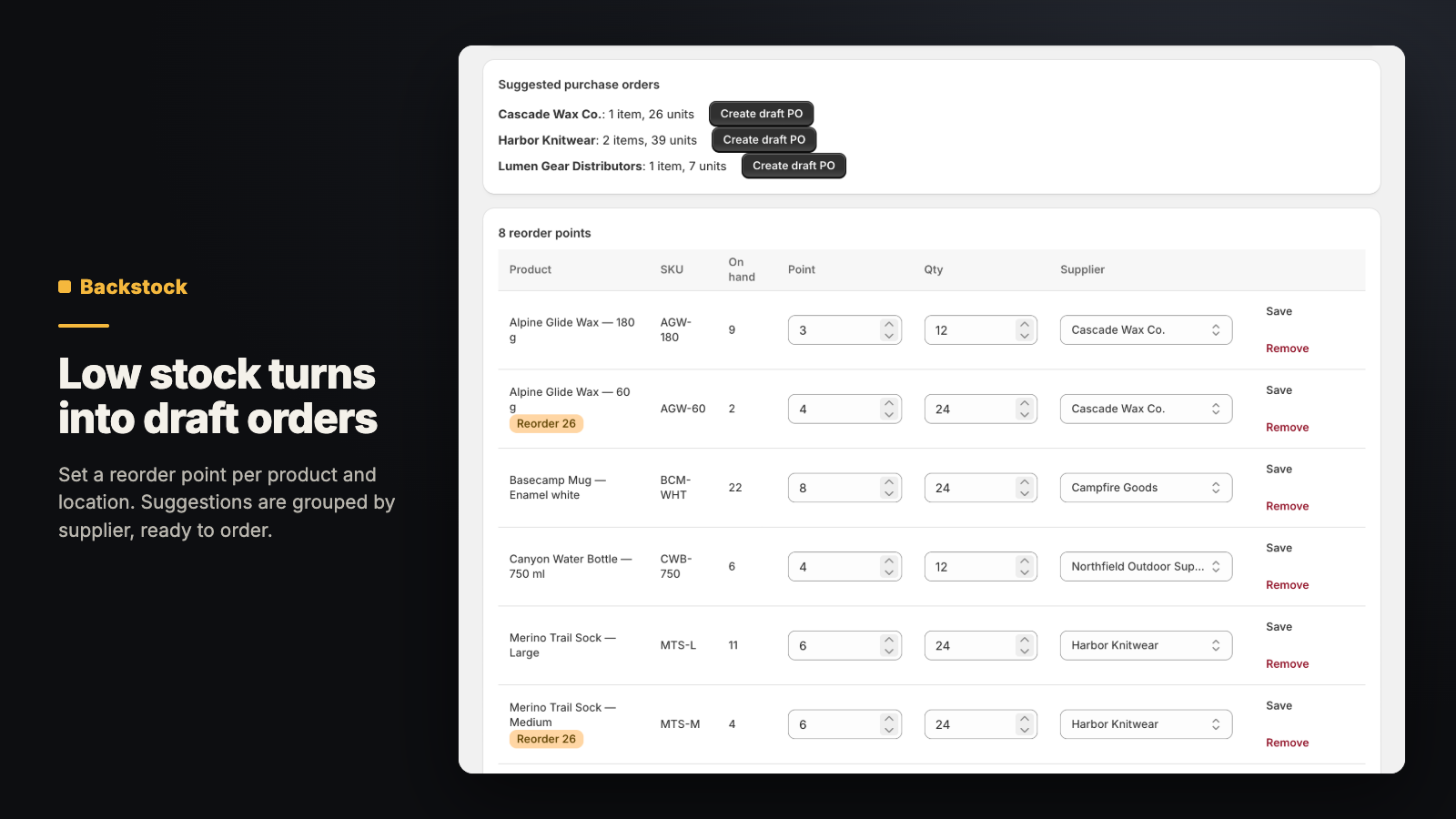
An alert tells you something is low. A reorder point goes one step further: you set, per product and location, the stock level that means “order more now” and how much to order. When stock hits that point, the item shows up on a reorder list, ready to become a purchase order.
Tips that make any alert more useful
- Set thresholds from how long your supplier takes to deliver, not a round number. If you sell 2 a day and delivery takes 7 days, alerting at 5 is too late.
- Make sure Track quantity is on for the products you care about. Untracked products never “run low”.
- Send alerts to the person who places orders, not a shared inbox nobody reads.
Where Shelfworks fits: Backstock
Backstock does reorder points for you: set a point and an order quantity per variant and location, optionally with a supplier. When on-hand falls to the point or below, it suggests an order, grouped by supplier, and one click makes a draft purchase order.
- Suppliers with contacts, lead times and payment terms.
- Purchase orders you receive in full or in part; received units are added to inventory at the order’s location.
Status: Submitted to the Shopify App Store; in Shopify's review now.
Where Shelfworks fits: Flowkit
If you like Flow and just want the per-location part done for you, Flowkit adds a low-stock trigger to Shopify Flow that works location by location.
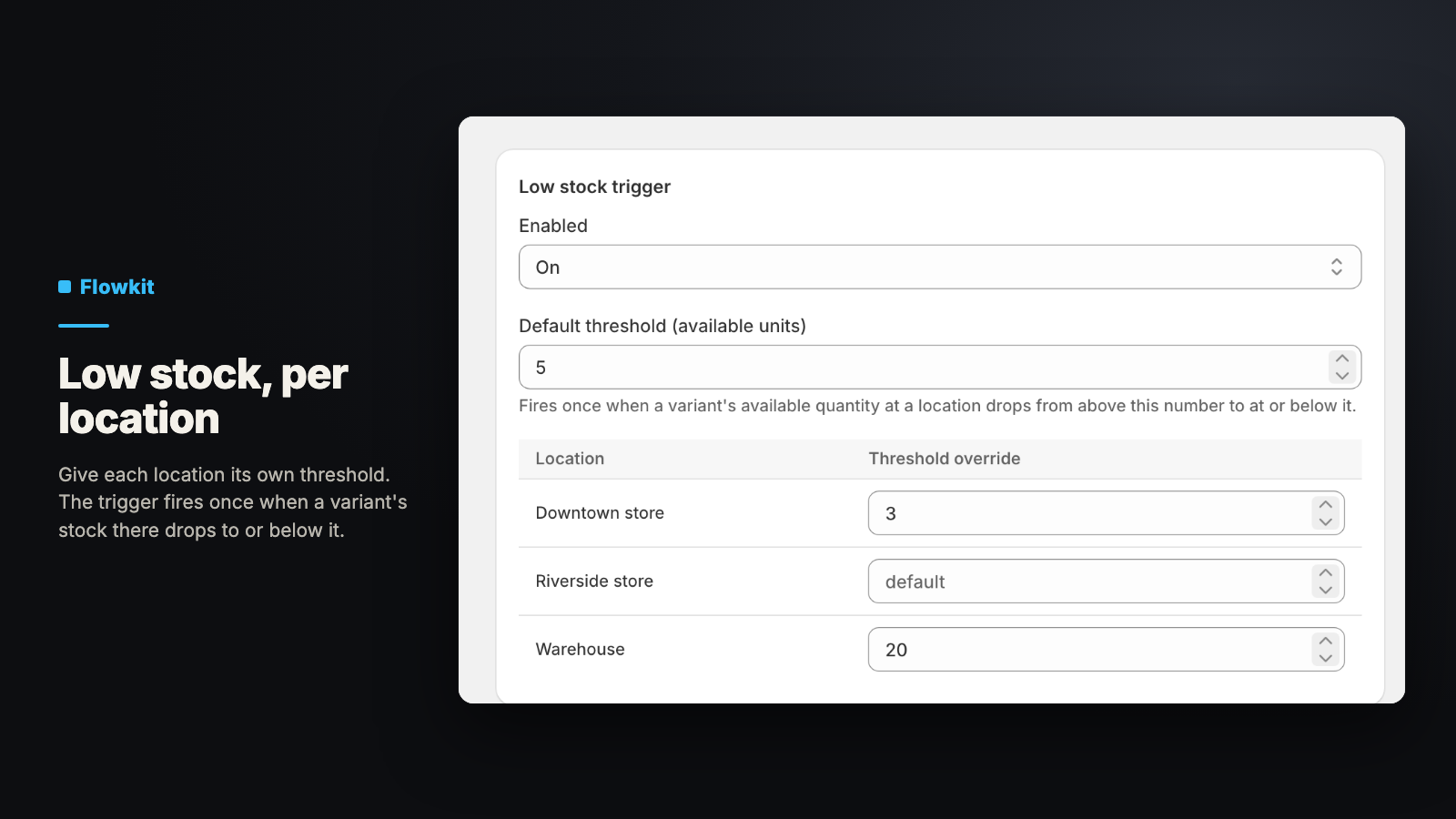
- Give each location its own threshold, or use one default.
- The trigger fires once when a variant’s stock at a location drops to or below that location’s threshold, and the workflow knows which location it was.
- A second trigger, “stock received”, fires with the number of units that arrived, handy for telling staff a delivery is in.
Status: Not on the Shopify App Store yet. Want to know when it’s available? Email support@shelfworks.app with the subject “Flowkit”.