Live on the Shopify App Store
Shelfworks Labels
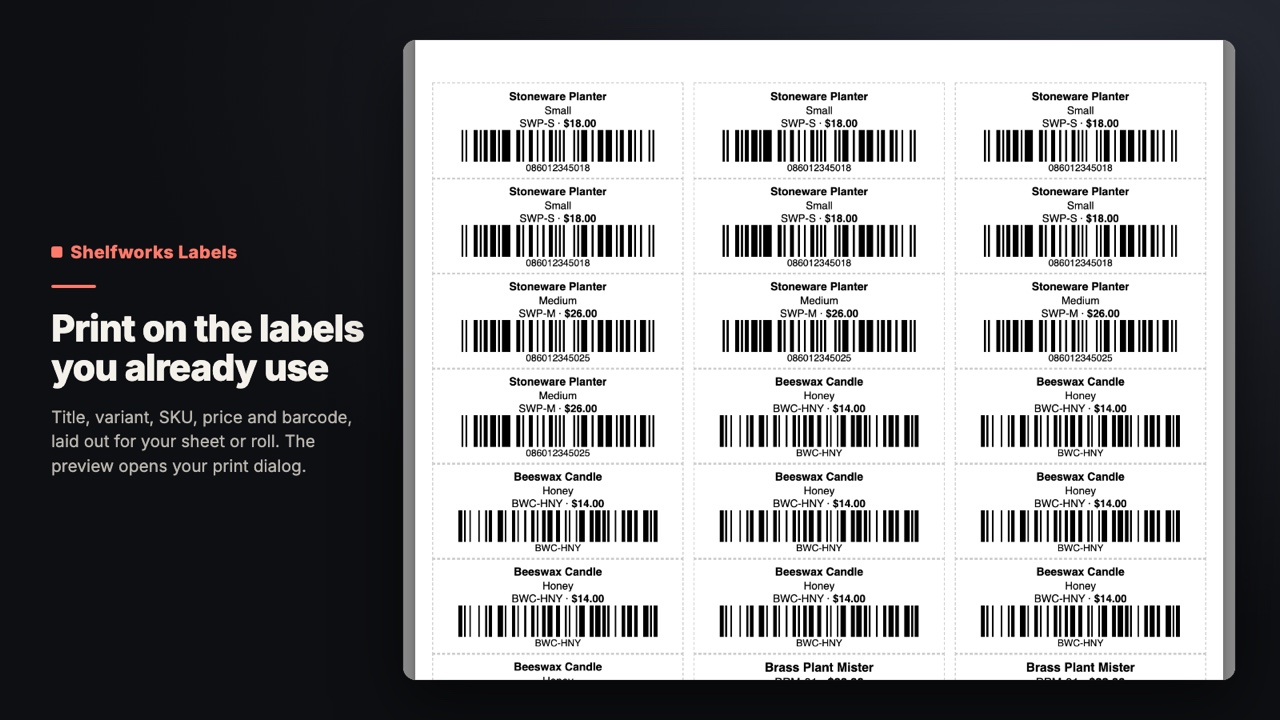
Print barcode labels for the exact variants you pick, on the Avery, Dymo or Zebra stock you use.
Get it on the Shopify App Store (Shelfworks Labels on the Shopify App Store)Free plan, or $9/month with a 14-day free trial
What it does
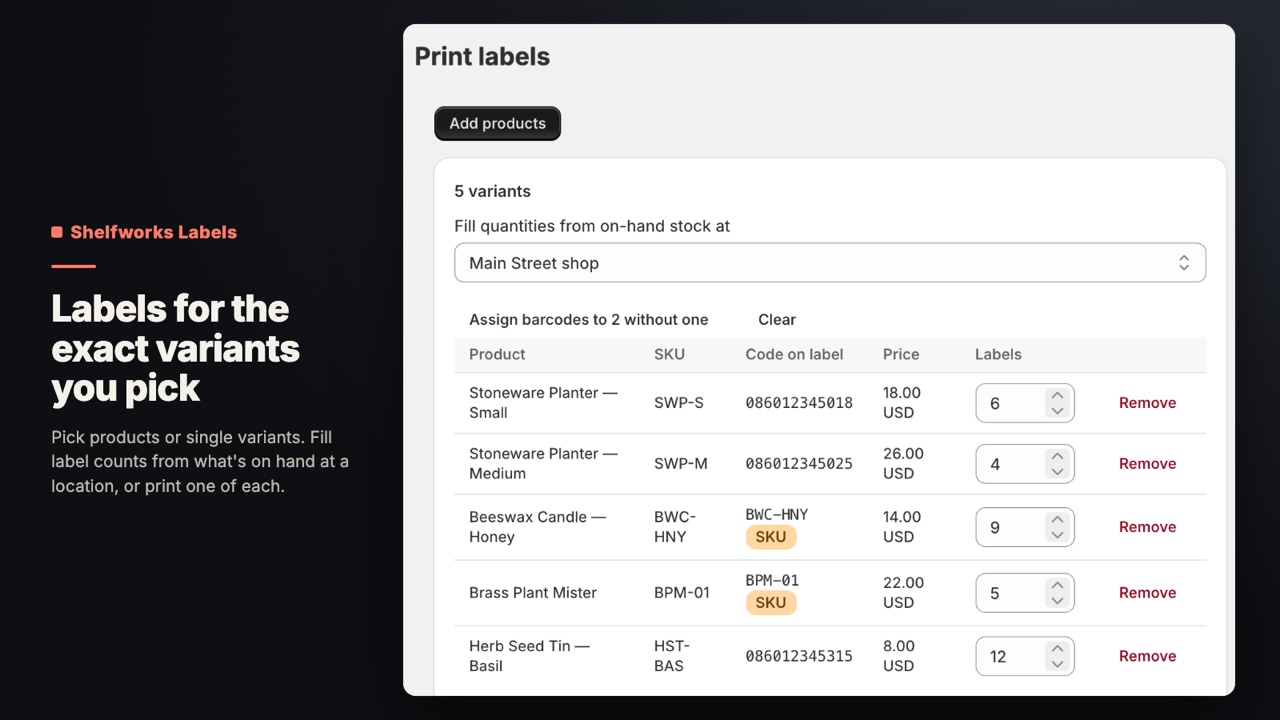
Pick products or single variants and set how many labels each needs, or fill the counts from on-hand stock at a location. Valid 12- and 13-digit retail codes print as UPC/EAN, anything else as Code 128.
- Each label carries the variant's own barcode, or its SKU if you choose
- Fill label counts from on-hand stock at a location after a delivery
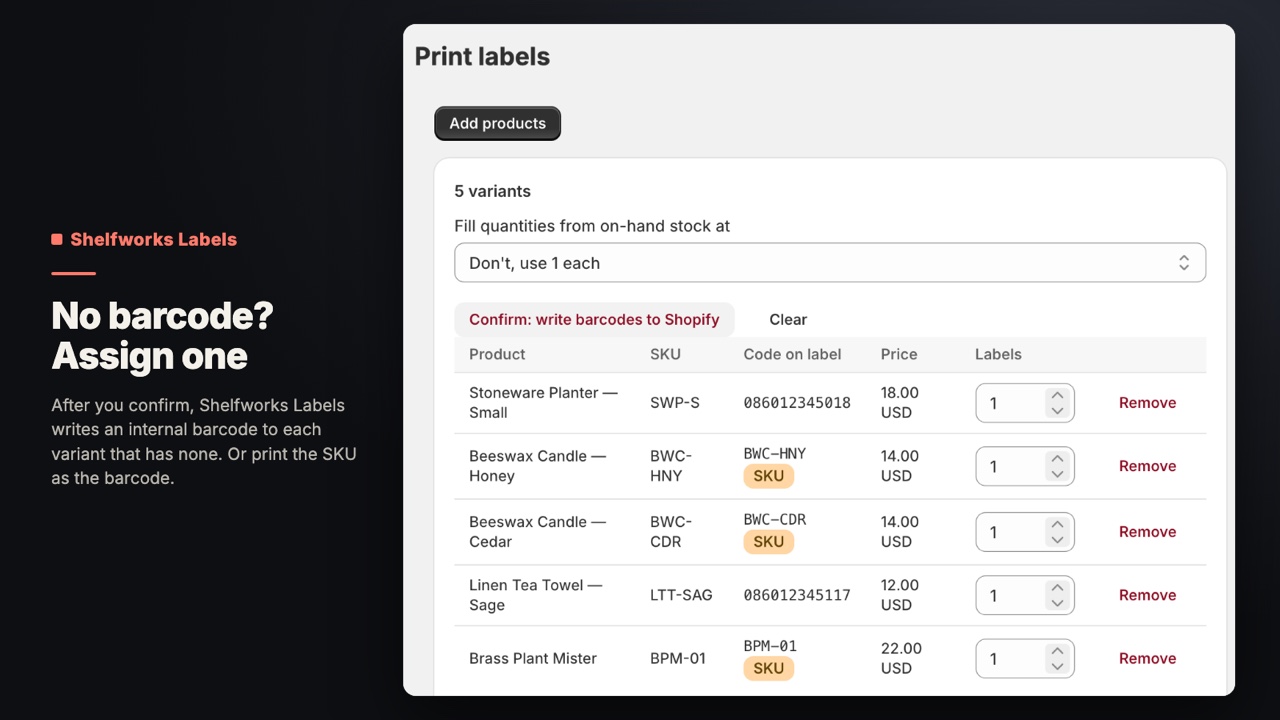
- Assign internal barcodes to variants without one, after you confirm
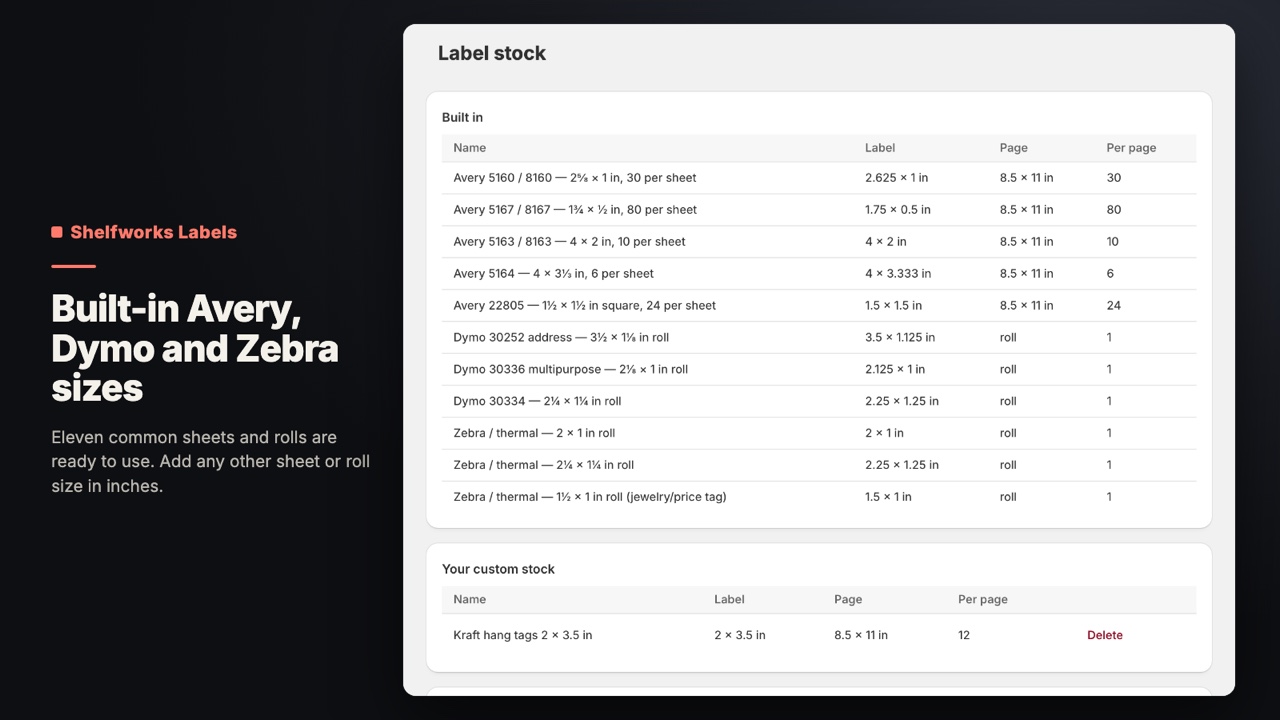
- Eleven built-in Avery, Dymo and Zebra stocks, plus custom sheets and rolls
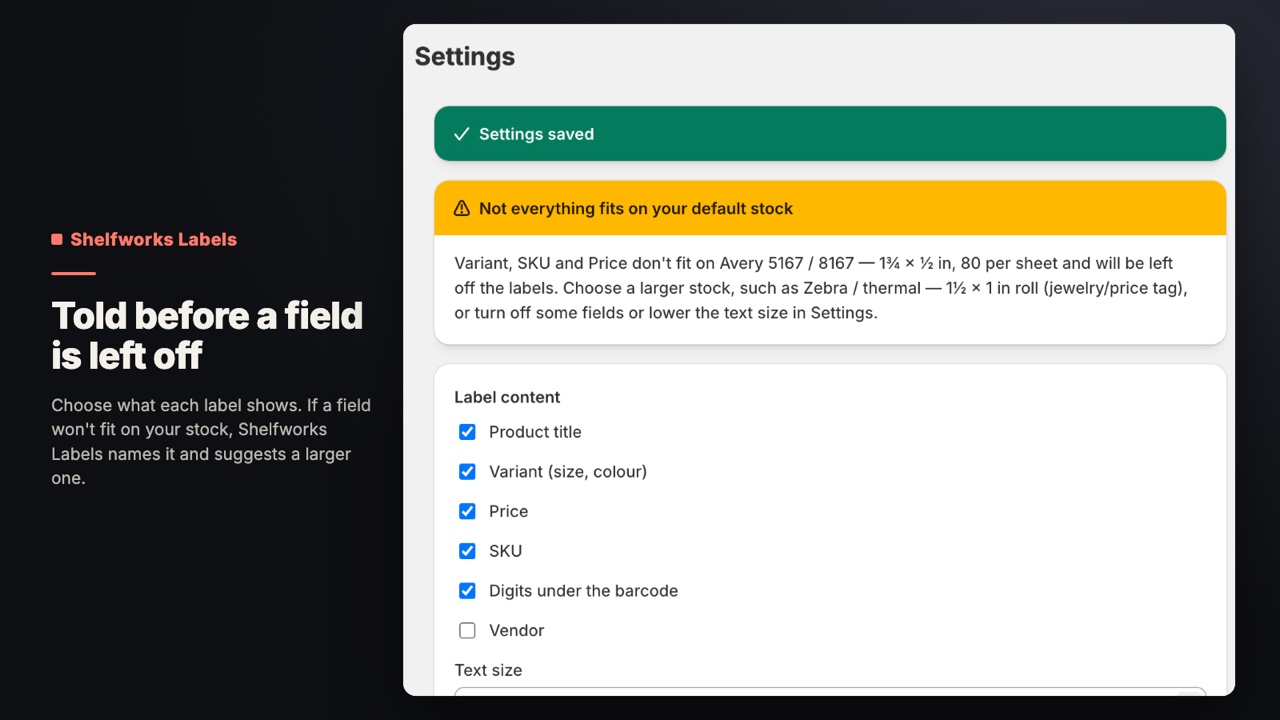
- Pick the fields each label shows, and see which ones won't fit your stock
Who it's for
- Shops with shelves or a stockroom that put a scannable label on every unit.
- Stores that receive deliveries and need one label per unit received.
- Anyone who sells in person with a barcode scanner at the till.
Screens
Price
| Plan | Price | What you get |
|---|---|---|
| Free | $0 | 50 labels a month. All features, up to 50 labels a month. |
| Standard | $9/month or $90/year | 14-day free trial. No monthly label limit (each print run is up to 5,000 labels). |
Billed in US dollars through Shopify, on your normal Shopify invoice. The same plans and prices are on the Shelfworks Labels listing.
Questions
Which barcode goes on the label?
The variant's own Barcode field. Valid 12- and 13-digit retail codes print as UPC/EAN; anything else prints as Code 128. If a variant has no barcode, Shelfworks Labels prints its SKU as a Code 128 barcode, or “No barcode” so you notice, whichever you pick in Settings.
What if my variants have no barcodes?
Click Assign barcodes, then confirm. Shelfworks Labels writes an internal barcode to each variant that has none: your prefix (default 20) plus the variant's ID number. These are for your own scanners, not retail UPC/EAN codes. Variants that already have a barcode aren't touched.
Can I print one label per unit after a delivery?
Yes. Choose a location in “Fill quantities from on-hand stock at” and each variant's label count becomes its on-hand quantity there. You can still change any count.
Which label stocks work?
Eleven are built in: Avery 5160/8160, 5167/8167, 5163/8163, 5164 and 22805 sheets; Dymo 30252, 30336 and 30334 rolls; and 2 x 1, 2¼ x 1¼ and 1½ x 1 in thermal rolls (Zebra-style). You can add any other sheet or roll in inches.
Why is a field missing from my labels?
On small stock not everything fits. Shelfworks Labels shrinks the barcode and text first and only leaves a field off when it still can't fit. It tells you which fields, on the Print page, in Settings and on the preview, and suggests a larger stock.
What does the free plan include?
All features, for up to 50 labels a month. Standard removes the monthly limit and comes monthly or annual, with a 14-day free trial.
Does Shelfworks Labels store customer data?
No. It stores your settings, your custom label stocks and your print runs (product titles, SKUs, prices and barcodes). A print run's preview link expires after two hours. Everything for your store is deleted when Shopify sends the redaction request after uninstall.
Read more
Try Shelfworks Labels. Free plan, or $9/month with a 14-day free trial.
Get it on the Shopify App Store (Shelfworks Labels on the Shopify App Store)
Questions before you install? support@shelfworks.app