How to print barcode labels for your Shopify products
Short answer: Shopify’s free Retail Barcode Labels app prints product labels on Avery, Dymo and Zebra stock from the Shopify admin. It prints Code 128 barcodes and can create barcodes for variants that don’t have one. If you need retail UPC/EAN barcodes printed as such, or other label layouts, a label app gives you more control.
Looking for shipping labels? Those are different: shipping labels go on parcels and are bought in Orders › Create shipping label (Shopify Shipping) or through a carrier app. This page is about product barcode labels for shelves, stockrooms and POS scanning.
Step 1: Give every variant a barcode
Scanning finds the product by the value in the variant’s Barcode field. If the product came with a UPC or EAN from the manufacturer, enter that. If not, you can create your own internal codes, as long as each one is unique in your store.
Step 2: Pick a barcode type your scanner reads
| Type | Use it for |
|---|---|
| UPC-A / EAN-13 | Manufacturer barcodes: 12 or 13 digits. Print them as UPC/EAN so they match the packaging. |
| Code 128 | Your own codes, letters and numbers. Almost every scanner reads it. |
Step 3: Match the label stock you own
Sheet labels (like Avery) print on an ordinary printer. Rolls (Dymo, Zebra) need a label printer. Print one test sheet on plain paper and hold it against the label sheet before using real labels.
Step 4: Print the right quantity
When a delivery arrives, print one label per unit received, not per product. Then scan one label at your POS to check it finds the exact size and colour.
Where Shelfworks fits: Shelfworks Labels
Shelfworks Labels prints barcode labels for the exact variants you pick, on the sheets and rolls you already use.
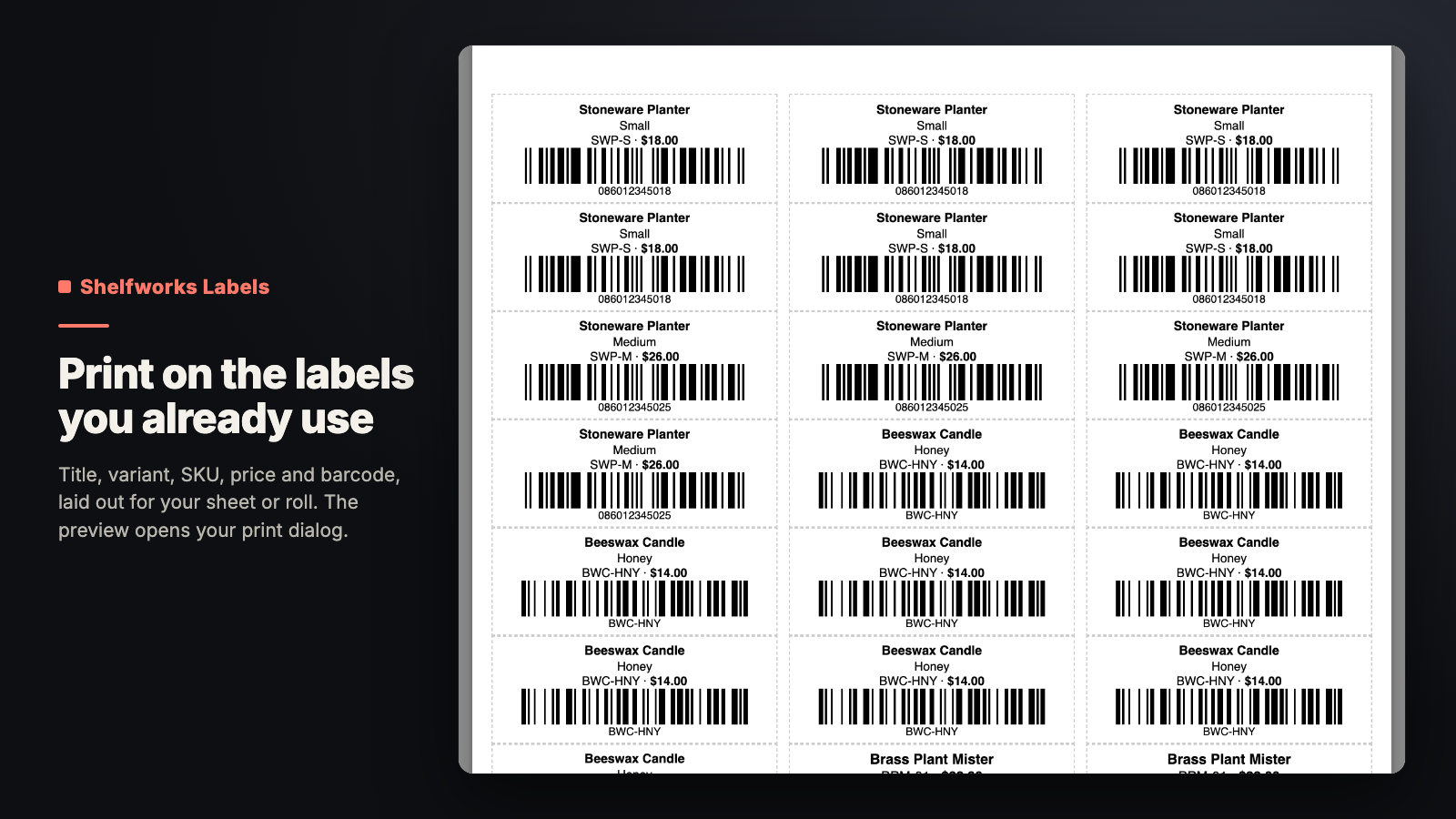
- Uses each variant’s own barcode: valid 12- and 13-digit codes print as UPC/EAN, anything else as Code 128.
- No barcode? Print the SKU instead, or have Shelfworks Labels assign an internal barcode to variants that have none.
- Fill label counts from on-hand stock at a location, handy right after a delivery.
- 11 built-in Avery, Dymo and thermal stocks, plus custom sheet and roll sizes. If a field won’t fit, it tells you before you print.
- Free for 50 labels a month; a paid plan removes the monthly limit.
Status: Live on the Shopify App Store. See what Shelfworks Labels does, its price and FAQ. Get Shelfworks Labels on the Shopify App Store. Free plan available. Questions: support@shelfworks.app.
Related guides
- Purchase orders on Shopify after Stocky
- How to get low stock alerts in Shopify
- How to bulk edit products in Shopify (and undo it)