
Live on the Shopify App Store
Backstock: Purchase Orders
Order from suppliers, receive deliveries into inventory and count stock, all without spreadsheets.
Get it on the Shopify App Store (Backstock: Purchase Orders on the Shopify App Store)Free plan, or $29/month with a 14-day free trial
What it does
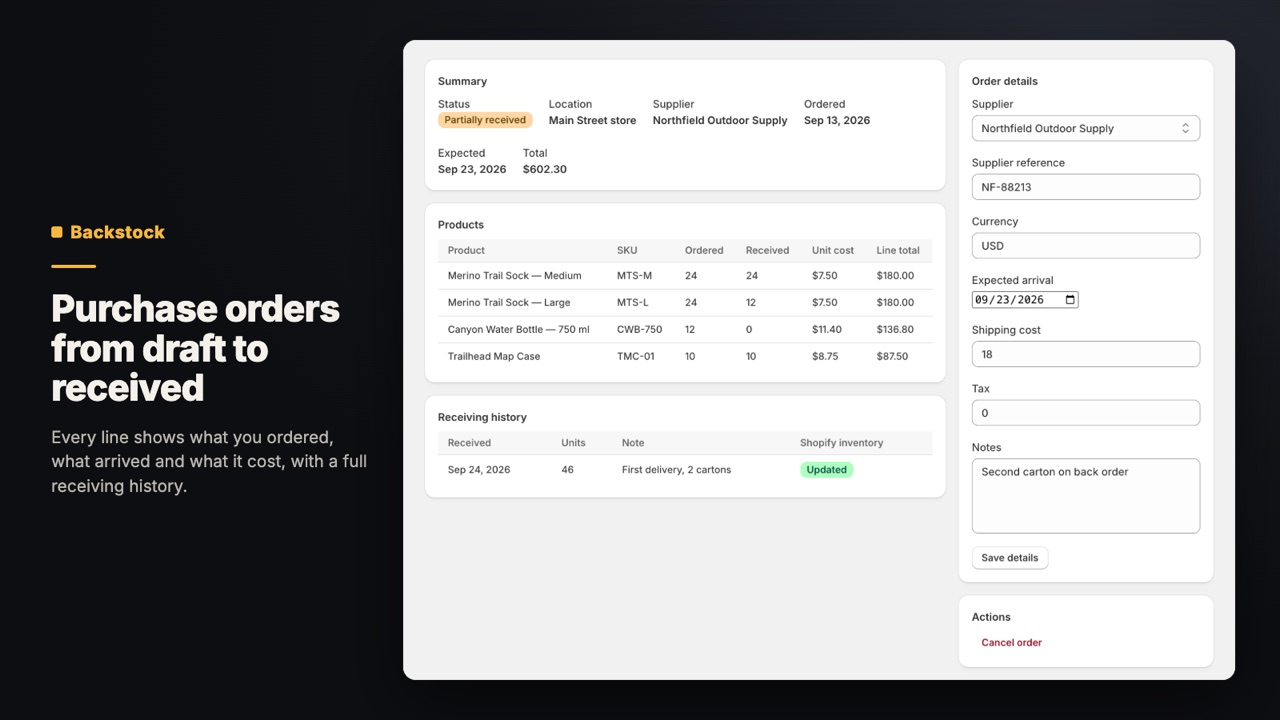
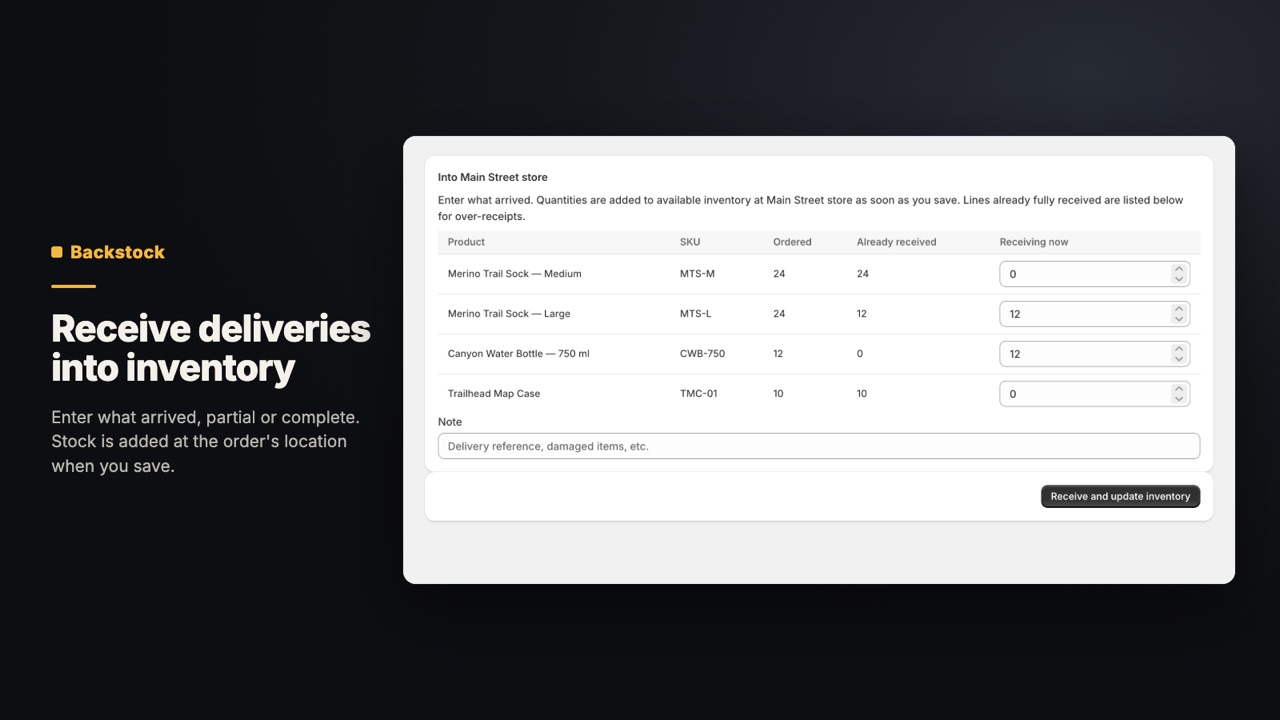
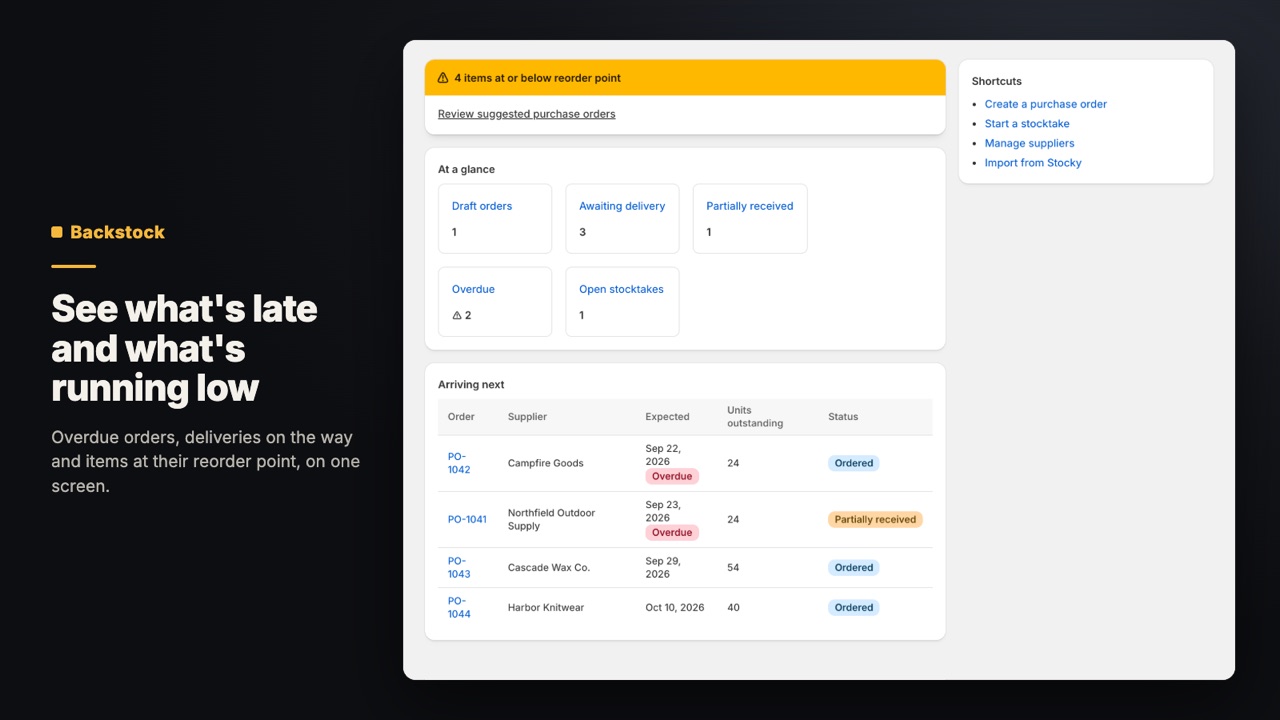
Keep suppliers with contacts, lead times and payment terms. Build purchase orders from your catalog, mark them ordered, then receive full or partial deliveries: received units are added to inventory at the order's location. Set reorder points per variant and location, and turn suggestions into draft orders by supplier. Count stock by typing or scanning, review variances, then apply.
- Purchase orders that receive full or partial deliveries into inventory
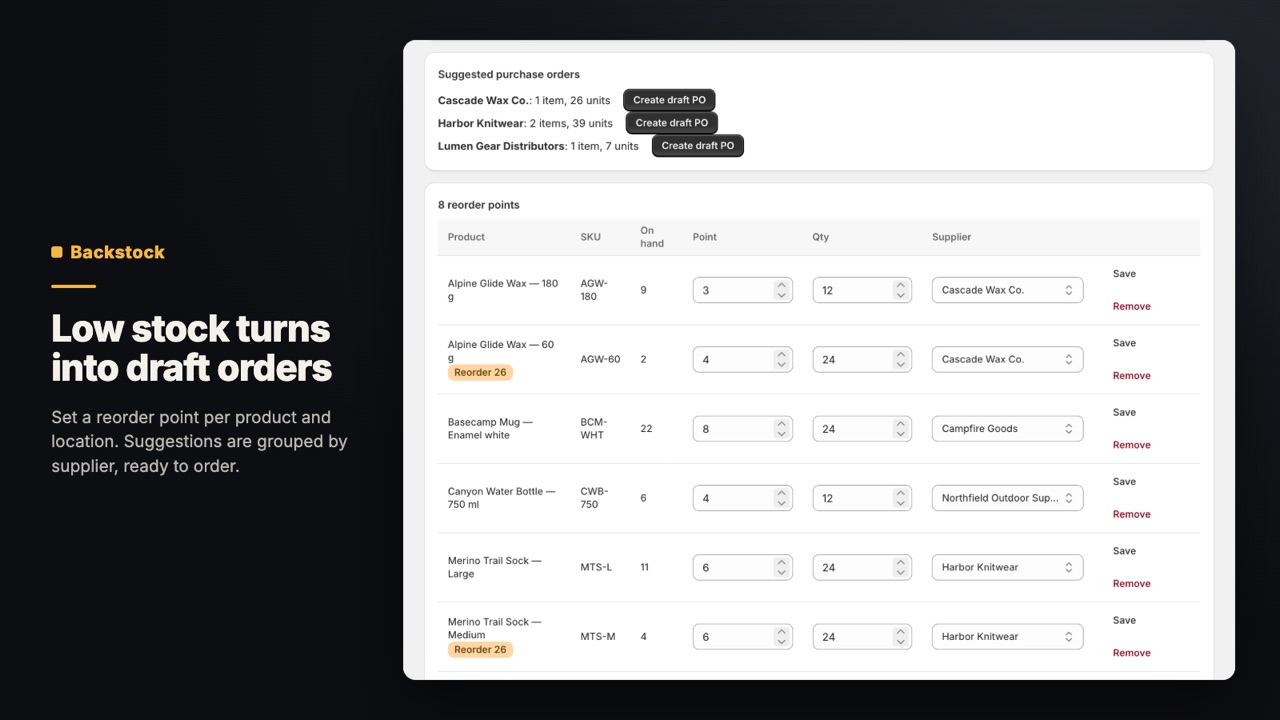
- Reorder points per variant and location, with draft orders by supplier
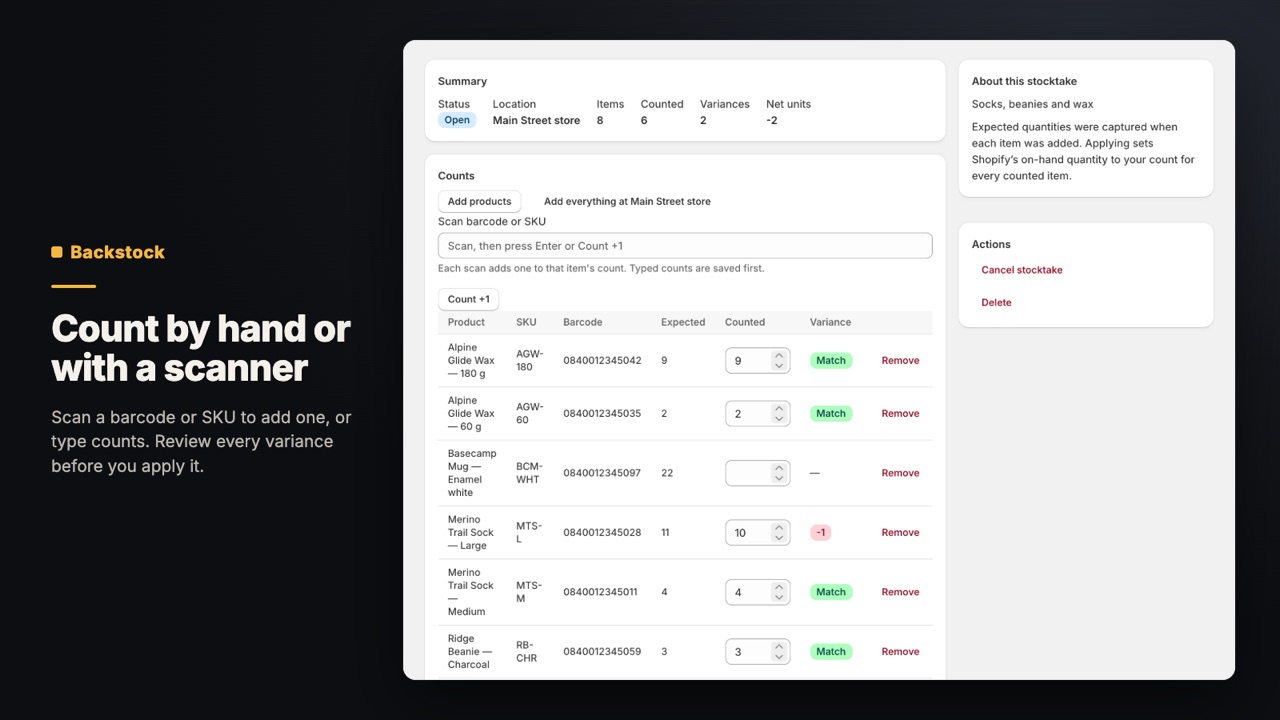
- Stocktakes by typed count or barcode scan, with variances shown first
- Supplier records with contacts, lead times and payment terms
- CSV import for suppliers and purchase-order history, including Stocky exports
Who it's for
- Stores that reorder stock from suppliers and want one place for purchase orders.
- Merchants moving off Stocky, which Shopify retired on 31 August 2026.
- Shops that count stock by hand or with a barcode scanner and want variances before anything is changed.
Screens
Price
| Plan | Price | What you get |
|---|---|---|
| Free | $0 | 5 new purchase orders a month. For stores with one active location. Suppliers, reorder points, stocktakes, receiving and CSV import are included. |
| Standard | $29/month or $290/year | 14-day free trial. For stores with one active location. No monthly limit on new purchase orders. |
| Multi-location | $49/month or $490/year | 14-day free trial. For stores with two or more active locations. Everything in Standard, at every location. |
Billed in US dollars through Shopify, on your normal Shopify invoice. The same plans and prices are on the Backstock: Purchase Orders listing.
Questions
Can I move from Stocky?
Yes. Import your Stocky CSV exports for suppliers and purchase-order history. Suppliers and orders you import appear in Backstock like any others.
How do purchase orders add stock?
When you receive a delivery, full or partial, the received units are added to inventory at the purchase order's location. Receiving the rest later adds the remainder.
How do reorder points work?
Set a reorder point per variant and location. Backstock lists what has fallen to or below it, and can turn the suggestions into draft purchase orders grouped by supplier.
Can I count stock with a barcode scanner?
Yes. A stocktake takes typed counts or scanned barcodes. You see the variances against Shopify's on-hand quantities first, and nothing changes until you apply the count.
What's free?
Stores with one active location can use all of Backstock for free, with up to 5 new purchase orders a month. Standard removes that limit. Stores with two or more active locations use Multi-location. Paid plans come monthly or annual, with a 14-day free trial.
Does Backstock store customer data?
No. It stores your settings, suppliers, purchase orders, stocktakes and reorder points. It doesn't read customer or order records.
Read more
Try Backstock: Purchase Orders. Free plan, or $29/month with a 14-day free trial.
Get it on the Shopify App Store (Backstock: Purchase Orders on the Shopify App Store)
Questions before you install? support@shelfworks.app