Affiliate conversion tracking on Shopify after Additional scripts
Short answer: Shopify stopped running script tags on the Order status page for non-Plus stores on 26 August 2026 (Plus stores lost them on 28 August 2025). Old checkout.liquid and script-based customisations on the Thank you and Order status pages are replaced by the upgraded pages. If an affiliate or partner pixel lived there, it has probably stopped firing. You can move it to a custom pixel in Customer events, use your network’s own Shopify app, or report sales server-to-server (a “postback”).
Check whether your tracking broke
- In your affiliate network, compare reported sales for the last few weeks with your Shopify orders from the same referrals.
- A sudden drop to zero around late August is the tell-tale sign.
- If your store still had old customisations, your Shopify admin shows a personalised upgrade guide listing what it found.
Three ways to track again
| Method | How it works | Watch out for |
|---|---|---|
| Custom pixel (Customer events) | Runs your network’s code on Shopify’s checkout events, inside a sandbox. | Browser-side, so ad blockers and consent choices can stop it. |
| The network’s own app | If your network has a Shopify app, it handles tracking for you. | Only covers that one network. |
| Server-to-server postback | When an order is paid, a server sends the sale and click ID straight to the network’s postback URL. | You need the click ID captured on the storefront and saved on the order. |
Whichever you choose
- Place a test order through a real affiliate link and confirm it shows in the network.
- Check it again after any theme or checkout change.
- Respect consent: a conversion report is still data about a customer’s purchase.
Where Shelfworks fits: Convertback
Convertback does the server-to-server route. It sends a postback for each paid order from the server, using Shopify’s paid-order webhook, so nothing depends on a script on the Thank you page.
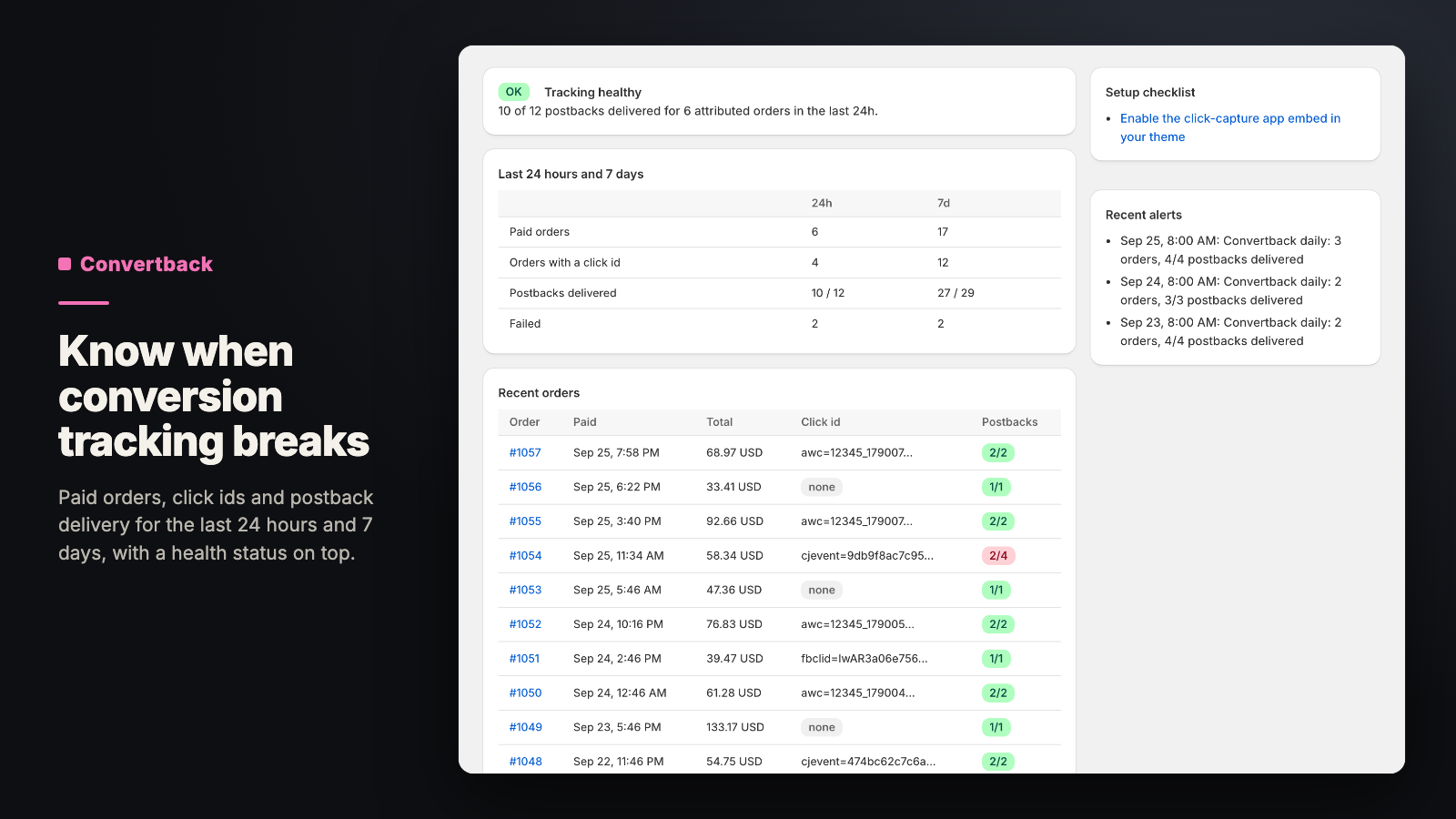
- Start from presets for Awin, CJ and ShareASale, a JSON webhook, or any pixel URL, with placeholders for order values and click IDs.
- A theme app embed keeps affiliate click IDs, with shopper consent, and adds them to the order.
- Preview a request with a sample order before it goes live.
- Logs show every attempt and its response code; a timeout or server error is retried once, and you can retry any failure.
- A daily digest, and an email when paid orders keep arriving but nothing is delivered.
Status: Not on the Shopify App Store yet. Want to know when it’s available? Email support@shelfworks.app with the subject “Convertback”.