Shipping rates not showing at Shopify checkout? Check these
Short answer: Nine times out of ten it’s one of four things: the customer’s address isn’t in any shipping zone with a rate, a product has no weight (or the wrong unit), a physical product is set as not requiring shipping, or, with carrier-calculated rates, your default package is outside what the carrier accepts.
Work through this list
- Zones. In Settings › Shipping and delivery, open the profile the product is in and check the customer’s country or region has at least one rate.
- Weights. Weight-based rates use the product weight plus your default package. A missing weight can drop a cart into the wrong tier, or into a gap between tiers.
- Units. Shopify stores weights in whole grams and rounds converted values up, which can push a cart into the next tier.
- “This is a physical product”. Products marked as digital or a service don’t get shipping rates.
- Carrier-calculated rates. Both your origin address and the customer’s address must be valid for the carrier, and the default package must fit the carrier’s size and weight limits.
- Test it. Place a test order to the problem address with one item at a time until the rate disappears. That item is your culprit.
Stop it happening again
Most of these come from new products added in a hurry: no weight, no customs details for international orders, shipping switched off by mistake. A quick catalog check each time you add products catches them before a customer does.
Where Shelfworks fits: Shelfcheck
Shelfcheck checks your active variants for the gaps behind most of the problems above, and rechecks a product whenever it’s created or edited.
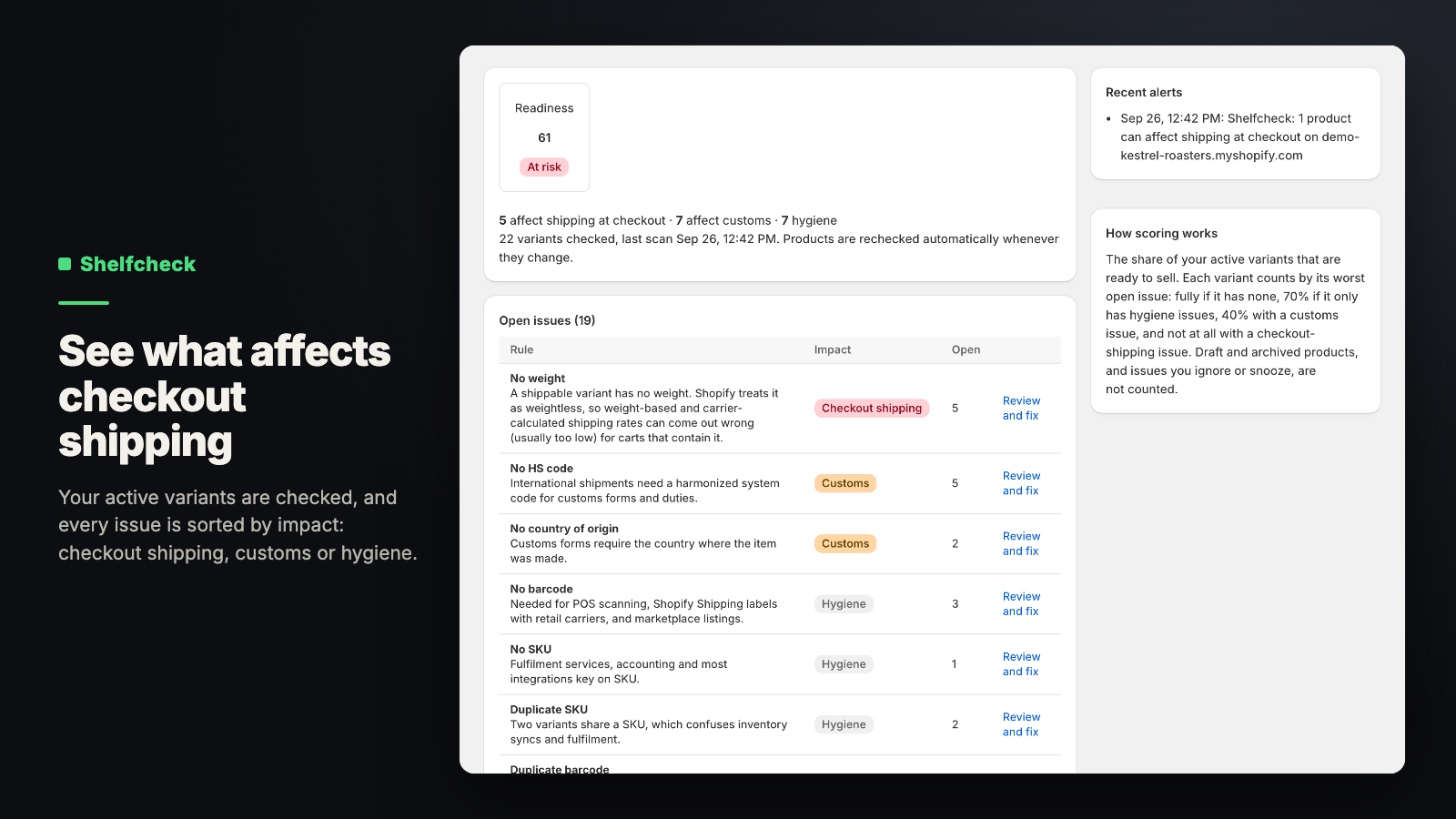
- Ten checks, each one on or off: missing weight, HS code or country of origin, missing barcode or SKU, duplicate SKUs or barcodes, no image, shipping switched off, untracked stock.
- The weight check applies only if you use carrier-calculated rates; the customs checks only if you ship abroad.
- Set a weight, HS code or country of origin on many variants at once, or copy customs details from a sibling variant.
- An email when a product gains an issue that can break checkout, plus a weekly summary.
Status: Live on the Shopify App Store. See what Shelfcheck does, its price and FAQ. Get Shelfcheck on the Shopify App Store. 14-day free trial. Questions: support@shelfworks.app.
Related guides
- Why Shopify charges shipping twice when an order ships from two locations
- How to bulk edit products in Shopify (and undo it)